Aircraft planning constraints
TL;DR
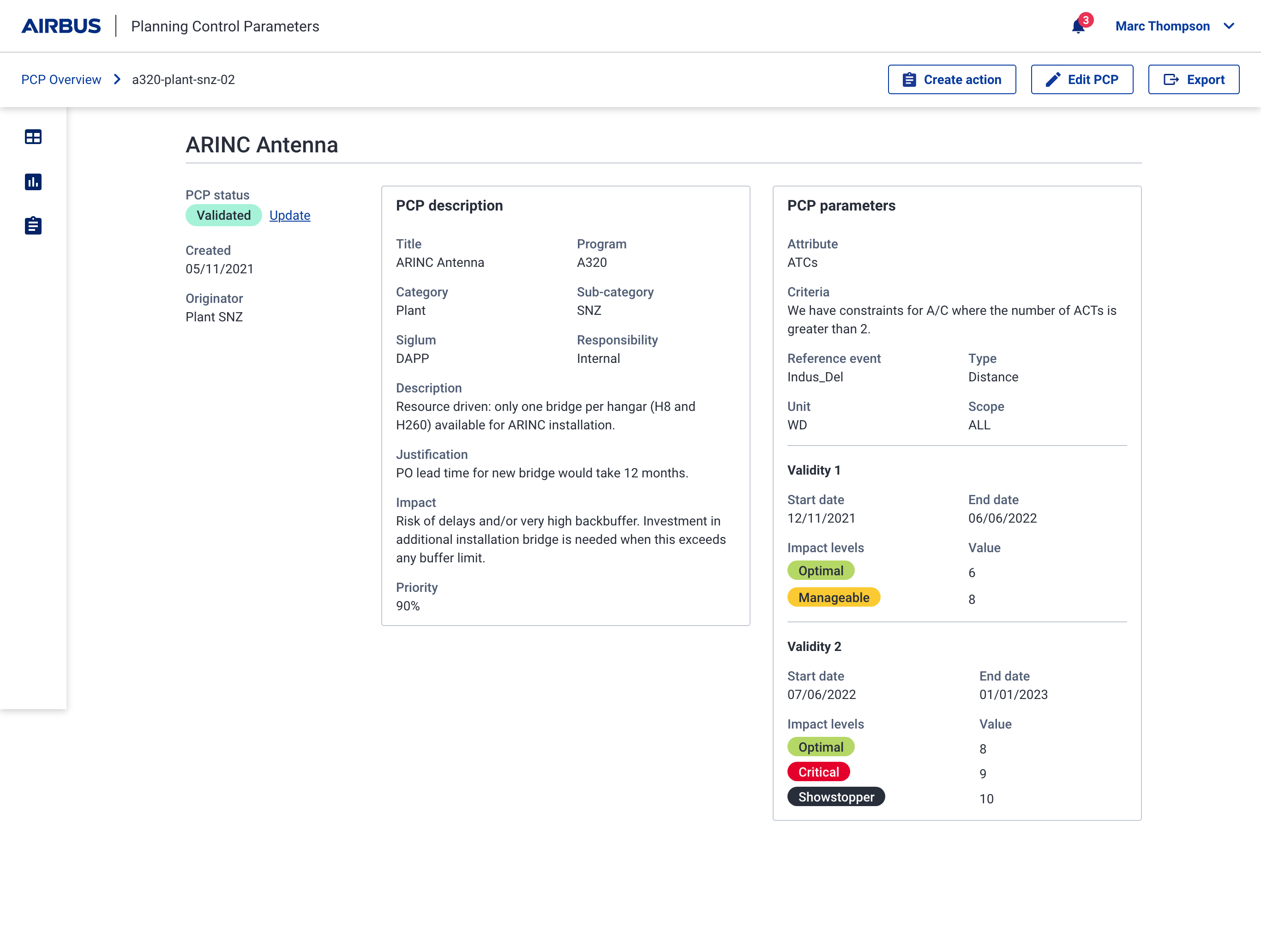
Airbus's A320 planning team had no single place to manage Planning Control Parameters (PCPs), the production constraints that govern how aircraft get built. PCPs lived across spreadsheets and printed PDFs, which led to operational impacts: higher costs, production delays, and more man-hours.
As part of Sopra Steria's UX agency, I helped the Airbus team define and build an MVP web app to centralise and manage these constraints. The MVP would serve as the starting point for streamlining planning cycles.
Early insight
One month after launch, early usage data from the PO showed some adoption within the A320 planning team. For context, there are 8 core teams working with over 100 defined PCPs - and that's just for the A320 aircraft programme.
Lacking a single source of truth
PCPs are rules that define constraints in aircraft production planning (e.g. resource ceiling). They help coordinate resources efficiently, prevent conflicts, and build realistic schedules. The team faced several challenges when using them:
No single source of truth
Scattered across multiple business-owned tools (spreadsheets, printed docs) that didn't talk to each other.
Lack of transparency
Unclear which PCPs were up to date, still relevant, or in use.
Manual and error-prone
Reliance on free-text fields and varying formats made it difficult to interpret constraints reliably.
The result: higher costs, production delays, and more man-hours than the work required.
What I did & key decisions
Planning the work
As the sole external designer on this project, I was embedded within the A320 core planning squad. With the team fully distributed across the UK, Germany, and France, all sessions were run remotely.
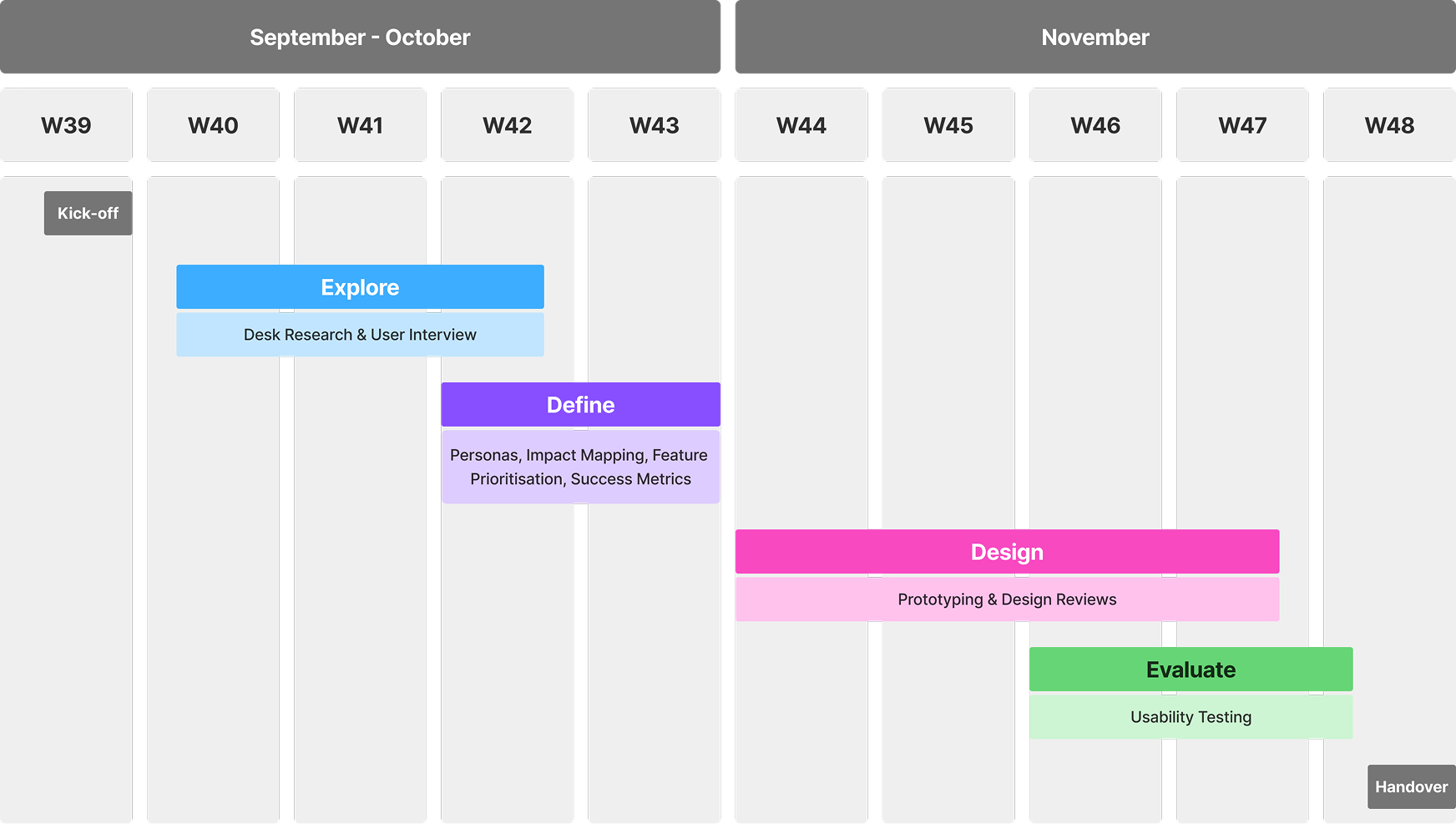
The first thing I did was map out the engagement and share it with the project team at kick-off - so everyone knew what to expect, when their input was needed, and what we were working toward at each stage.
Understanding the problem
I started by reviewing internal wikis and working closely with the Airbus PO to understand current ways of working. I then ran 9 user interviews across business stakeholders and technical users, keeping the format semi-structured to leave room for unexpected insights and demos.
From those sessions, I identified four key user groups, built proto-personas for each, and validated them with the planning team to surface assumptions and guide early design decisions.
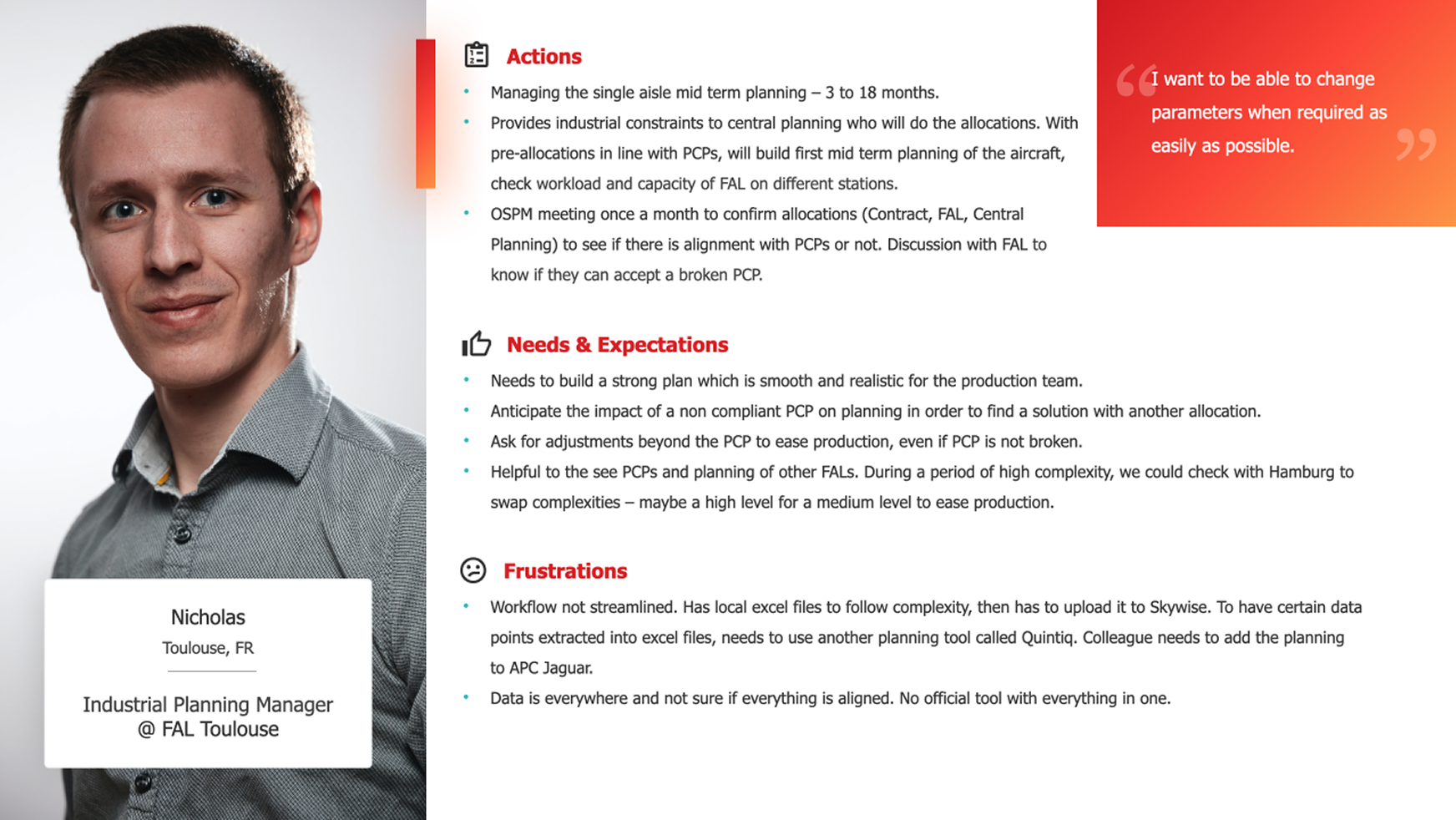
"I want to be able to change parameters when required as easily as possible."
Nicolas – Final Assembly Line Planning Manager, Toulouse
Aligning on scope
I facilitated a MoSCoW workshop with the full team to lock in what the MVP had to do and what could wait for later phases.
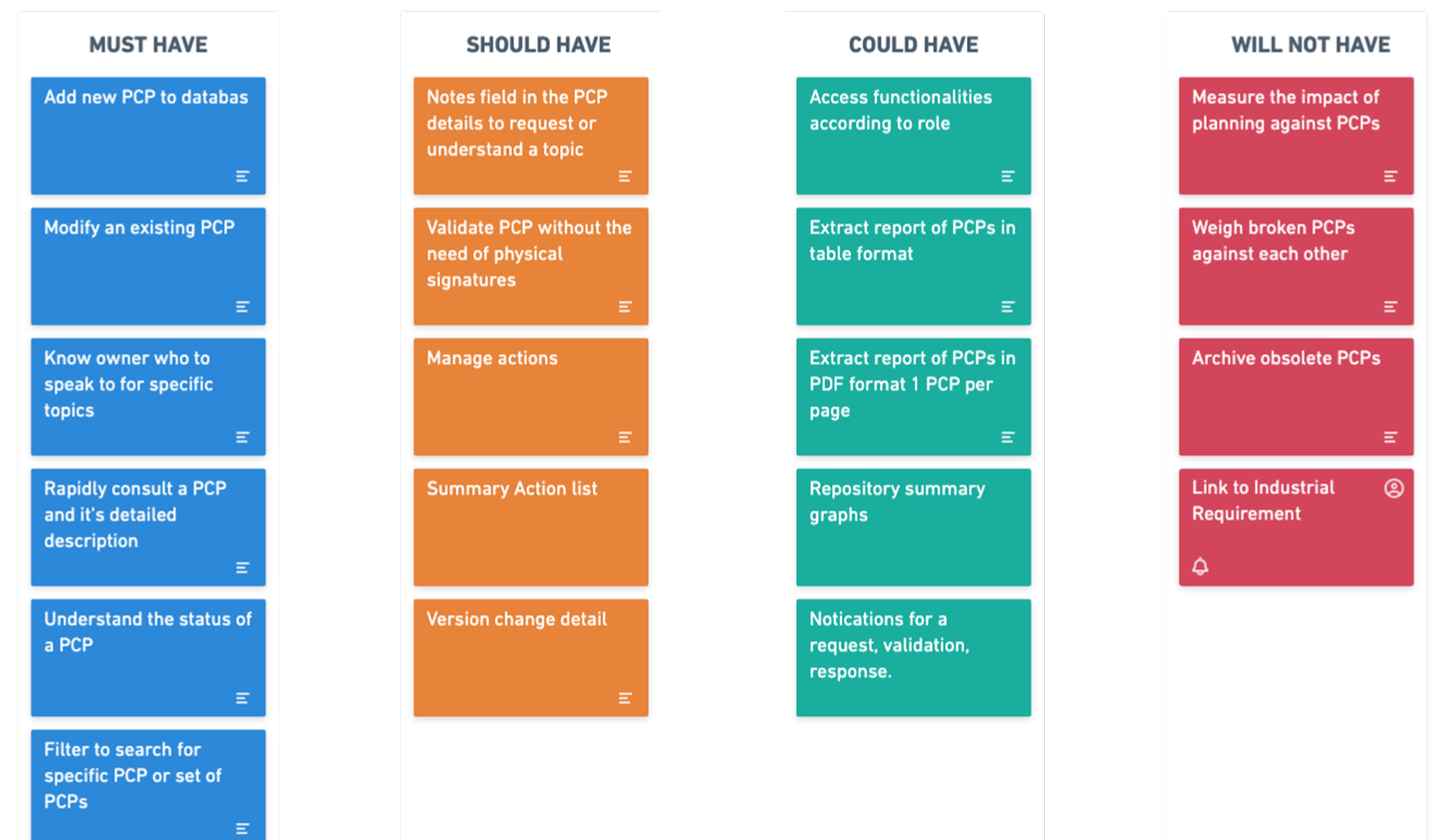
My focus was Phase 1 - giving users a system they could adopt to create, edit, and consult PCPs. Without that foundation, Phase 2 (compliance) and Phase 3 (analysis) would have nothing reliable to build on.
PCP Management
Allows users to create, edit or consult a PCP
PCP Compliance
Allows users to compare PCPs against planning
PCP Analysis
Allows users to build the optimal planning scenario
Attaching success metrics
The team was cautious about committing to hard targets, so I reframed the conversation around practical measures I could validate during usability testing - task success and user satisfaction. This ensured we had immediate, testable indicators, while leaving space for longer-term adoption metrics like PCPs recorded and teams onboarded.
System to screens
As I moved into design, I skipped low-fidelity sketching and worked directly in Sketch using Airbus's design system, giving me the building blocks to design at speed.
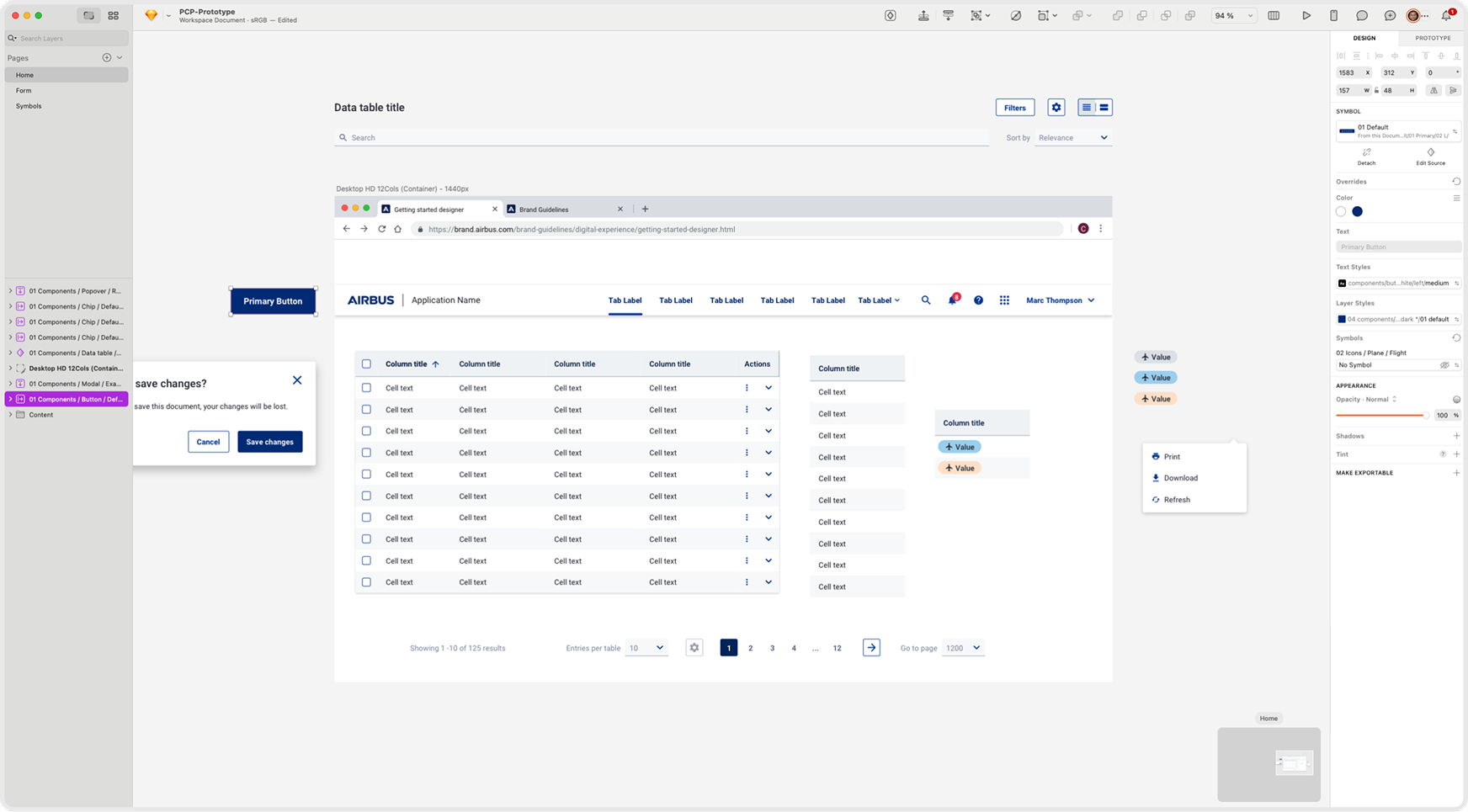
I ran three rounds of design reviews with the project team, with data engineers validating the data points that needed surfacing. Feedback focused on content clarity, copy, and information architecture. What stood out was the team consistently referencing the personas - a sign the earlier alignment work had stuck.
Validating the design
With the PO's support, I arranged usability sessions with 4 key technical users during the design phase, enabling quick feedback loops and faster iteration.
Several opportunities surfaced to improve clarity and ease of use. Rather than treating every finding as a must-fix, I worked with the PO to triage them. Some went straight into the MVP, others deferred to later phases, and a few were logged as future feature requests.
Satisfaction with PCP management rose from 2.6 to 4.1 out of 5 - baseline captured in research interviews, post-score captured against the prototype with the same users.
Solution
The MVP gave the planning team one place to create, manage, and reference PCPs. Here's how it came together:
Creating a PCP
Updating a PCP & Action
Version history
Handover
To close the engagement, I ran a final handover session with the full team and the developer who would own the build. Staying within Airbus's design system throughout meant implementation confidence was high.
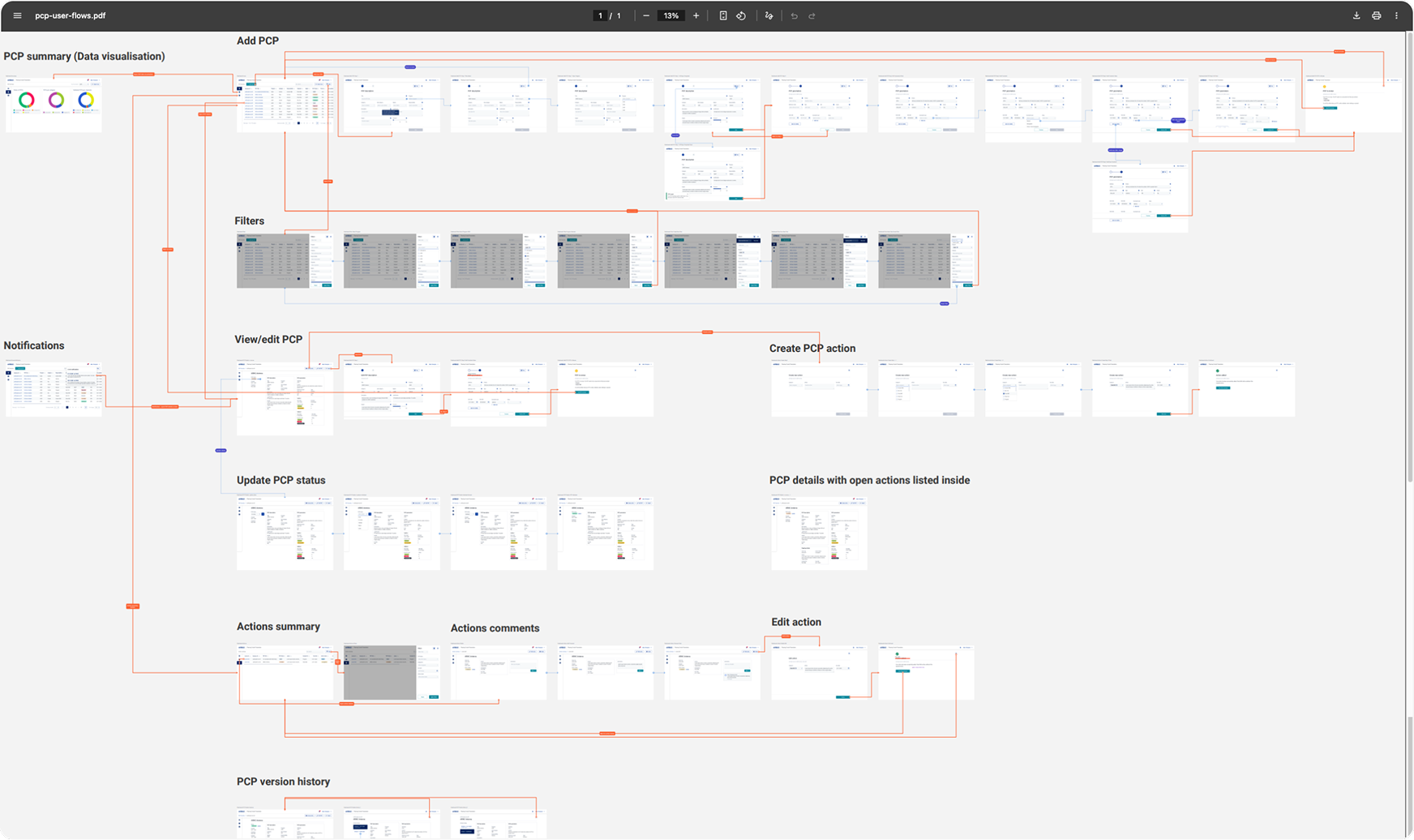
All deliverables were documented and shared so that anyone picking up the project had everything they needed to move forward.
I asked the PO to keep me updated if usage metrics became available and offered to remain a point of contact for any questions during development.
Impact
As I was off-boarded shortly after the handover, I followed up with the planning team a month after hearing the MVP had launched, to check on the progress.
At that stage, they shared early usage data. While the numbers were promising, it was still too early to gauge any real impact. The true value of the MVP would become clearer as adoption grows, more teams come on board, and longer-term patterns of use emerge.